Match any value
Existence-only checks. Leave the value field empty to match anything
A lot of real IDS checks aren't "this property must equal X" — they're "this element must have this property at all, whatever the value." The IDS schema supports both: every value-bearing facet (property, attribute, classification, material) makes the <value> element optional, and the classification's <system> element accepts a pattern restriction.
In the editor this is just one rule, applied uniformly across all four value-bearing facets: leave the field empty. A fresh node lands in the wildcard state by default — the canvas and inspector make the state obvious so you can tell wildcard from in-progress at a glance.
Same UX everywhere
All four value-bearing facets use a plain text input. No curated dropdown, no special "clear" affordance — clear it like any other field. The IDS schema doesn't constrain these values to a closed list anyway:
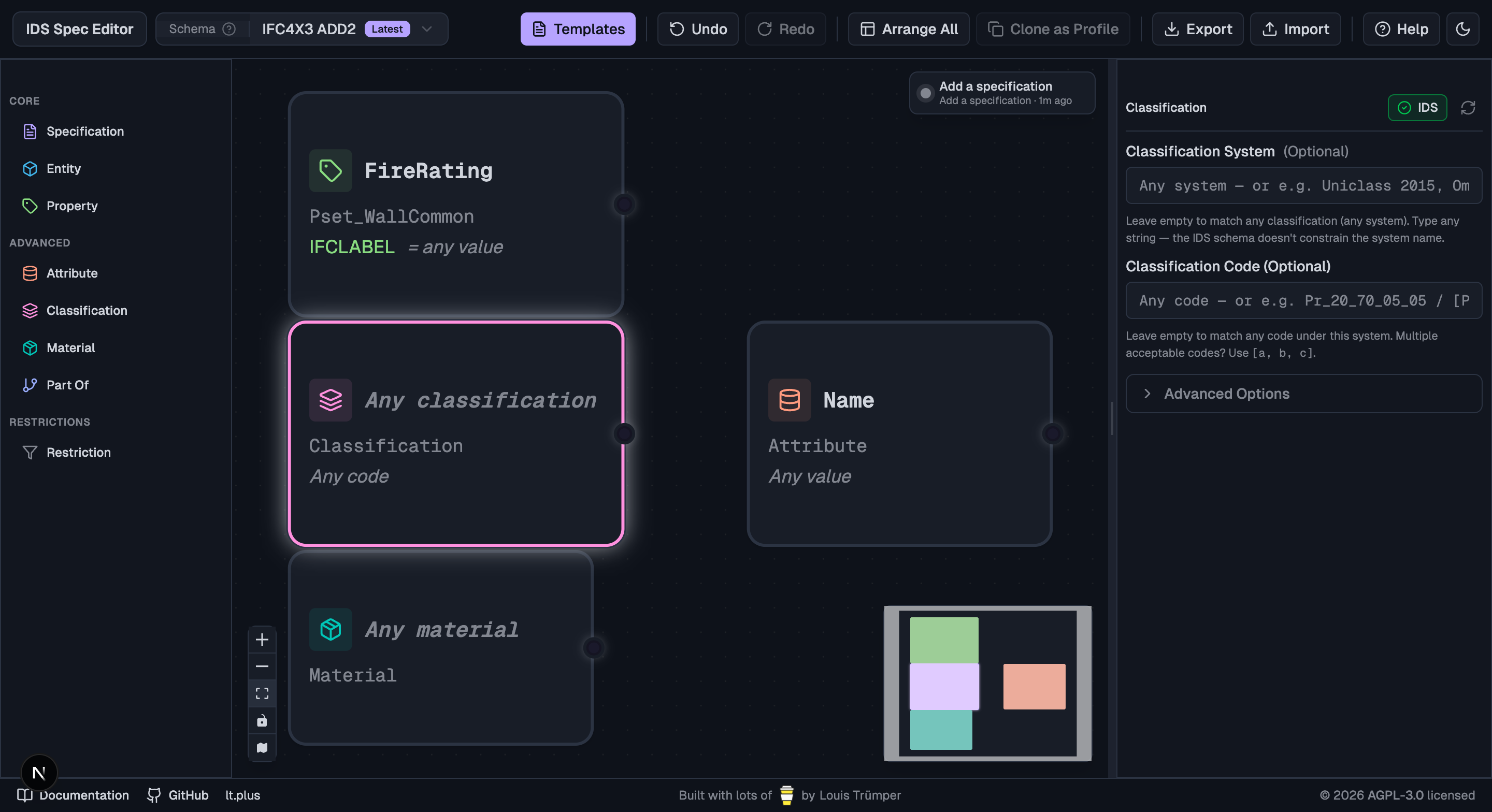
| Facet | When the field is empty | Maps to IDS XML |
|---|---|---|
| Material value | Node title becomes italic "Any material" | <material/> (no <value>) |
| Classification value (system set) | "Any code" under the system name | <classification><system>…</system></classification> |
| Classification system and value | Node title becomes italic "Any classification", hint "Any code" | <classification><system><xs:restriction base="xs:string"><xs:pattern value=".+"/></xs:restriction></system></classification> |
| Attribute value | "Any value" under the attribute name | <attribute><name>…</name></attribute> |
| Property value | "= any value" after the data type | <property><propertySet>…</propertySet><baseName>…</baseName></property> |
If a Restriction node is connected to the facet, the editor shows "restricted" instead of "Any …" — the facet is still constrained, just via the restriction node rather than a fixed value.
How to leave a field empty
Just don't type anything. New material and classification nodes default to empty (no pre-filled "concrete" or "Uniclass 2015"), so you can drop one in and it's already a wildcard. Type a specific value when you actually want to constrain.
To revert a field back to wildcard, select all the text and Backspace — same as any text input on the web.
![Material inspector — plain text input, helper line: "Leave empty to match any material. Multiple acceptable values? Use [a, b, c]."](/docs/screenshots/13-material-inspector.png)
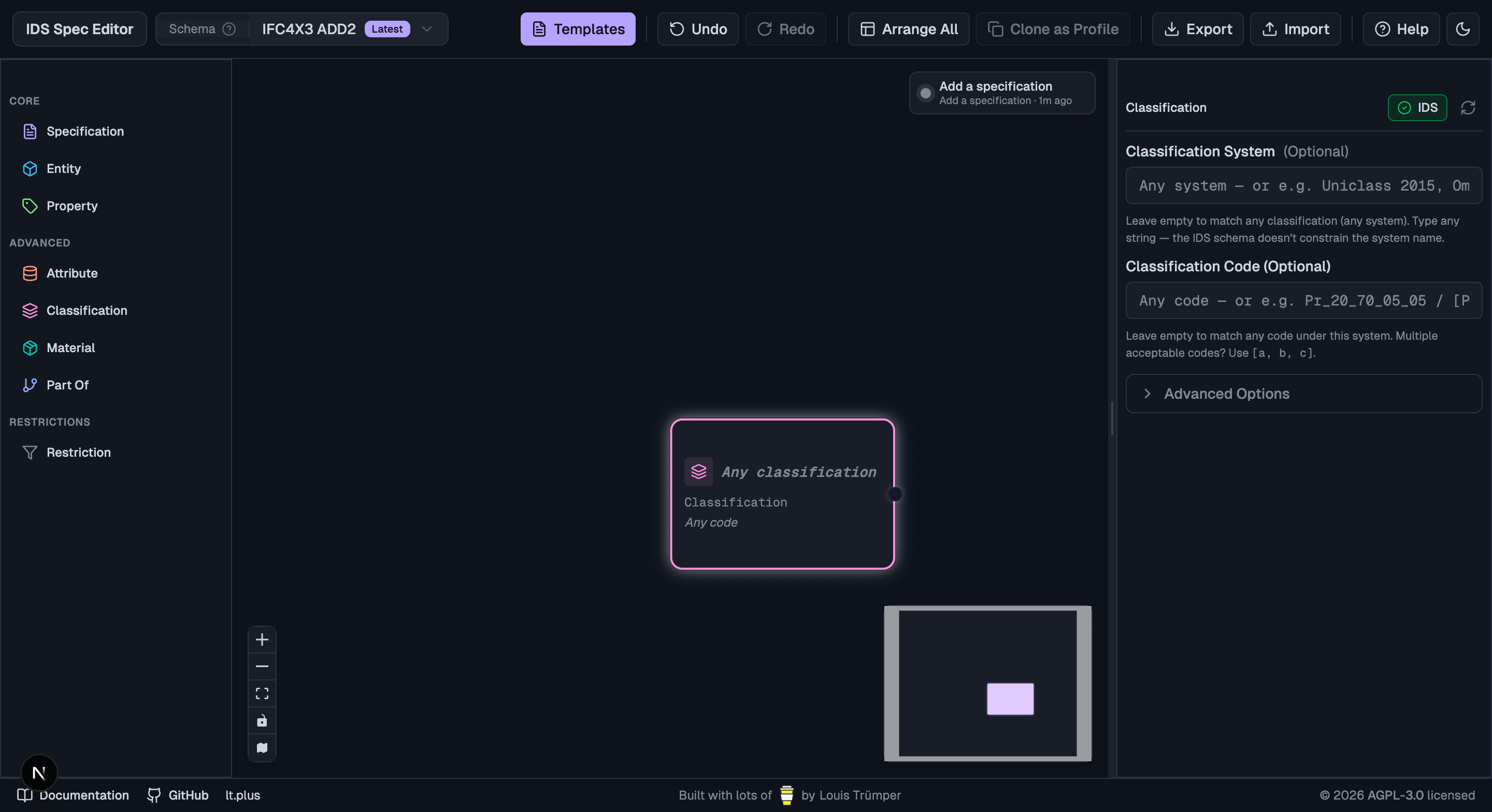
Property and attribute are the same shape — same input, same helper text:
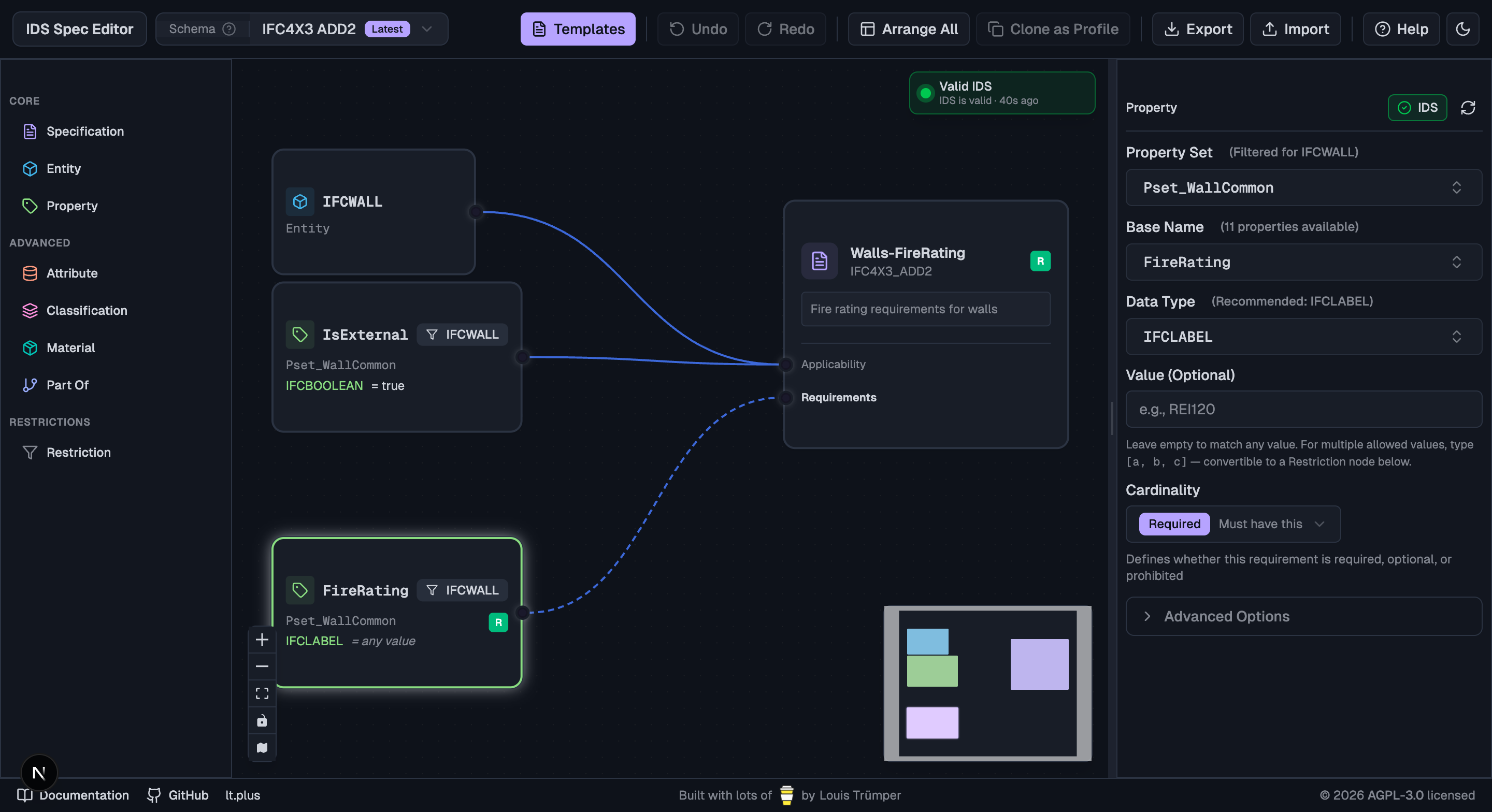
What the IDS XML looks like
For the value-bearing fields (material value, classification value, attribute value, property value), empty just means the <value> element is omitted entirely. The facet element itself remains.
Classification system is the one exception: per the XSD it's minOccurs="1", so the editor still has to emit a <system> element. When empty, it writes a pattern restriction that matches any non-empty string — unambiguously "any system":
<system>
  <xs:restriction base="xs:string">
    <xs:pattern value=".+"/>
  </xs:restriction>
</system>
An empty <simpleValue/> would semantically mean "match the empty string", which most validators would treat as a no-match — the pattern approach side-steps that.
When to use it
- Applicability: "applies to anything that has a material assigned" (or any classification, or any value for some attribute). You care that the model carries a piece of information, not the specific value.
- Requirements: combined with cardinality, you can express "this property must be present" (
cardinality="required") or "must not be present" (cardinality="prohibited") without committing to a value. - Classification with empty system and value: "every applicable element must have some classification — system doesn't matter, value doesn't matter." Useful for early-stage IDS that just checks the team did the classification work at all.
When NOT to use it
If you actually want to constrain the value to a finite set (["R60", "R90", "R120"]), don't leave the field empty — type the bracketed list and use the Make Restriction shortcut to convert it into a Restriction node. A wildcard facet means any value passes, including values you'd rather not.